
Google Groups — Migration Tool

Easily migrate your Google Groups to Gaggle Mail.
Export your groups data, upload it here, and create your new groups in just a few simple steps.

1

Export your Google Groups data with Google Takeout

Visit takeout.google.com and select "Groups" from the list of available services.
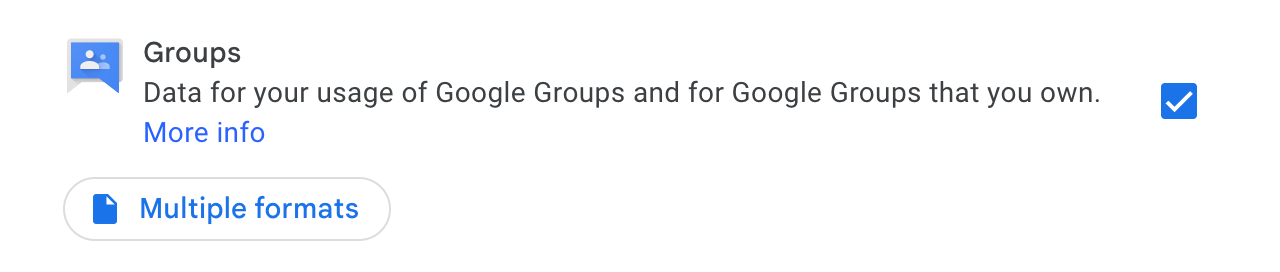
Google Takeout Groups

Then click Next and export your Google Groups data as a .zip file.

2

Upload here

Upload your exported Google Groups data file (.zip). You can drag and drop the file into the area below, or click to select a file from your computer.

or drag and drop

Upload your Google Groups export file

3

Create your groups

Once you've uploaded your file, you'll be able to review the groups we found and create them on Gaggle Mail. You can validate the data, adjust settings, and then create all your groups with a single click.

What people are saying

Join thousands of communities using Gaggle Mail

“Gaggle Mail transformed how our neighborhood association communicates. It's so intuitive that even our less tech-savvy members participate actively. The moderation tools are exactly what we needed.“

Sarah Chen
Community Organizer

“Overall technical execution and ease-of-use make Gaggle Mail the best option in the market.“

Edward Geruson
Schools Association Leader

“Solid, stable. Just works. Great interface. Works for everything we need.“

Nel Durdge
Non-profit Director

“Amazing alternative to google groups, which forces you to have a gmail account and is complex to join as a user.“

David Thompson
Book Club Organizer

“Your service never fails and when we have questions, you respond immediately!“

Julia
Public Speakers Association

“Outstanding service. Whenever we have a question or face an obstacle someone is there to assist.“

Michael Green
Legal Community Manager

“It's straightforward. It works. No advertising banners. We love it!“

Dan Torres
Kids Activity Camp

“The customer support is outstanding. Any questions we had while setting up our alumni network were answered promptly and thoroughly.“

Emma Lewis
Alumni Coordinator

“I love Gaggle Mail because I have never had a problem. It just works.“

Mike
Park Land Committee

“The migration from our old listserv was smooth and the interface is modern and clean. Our members adapted to it immediately.“

Patricia Moore
Community Manager

“I use it for a Boy Scout troop. I tried a couple of other applications and yours is by far the best.“

Steve
Boy Scout Troop